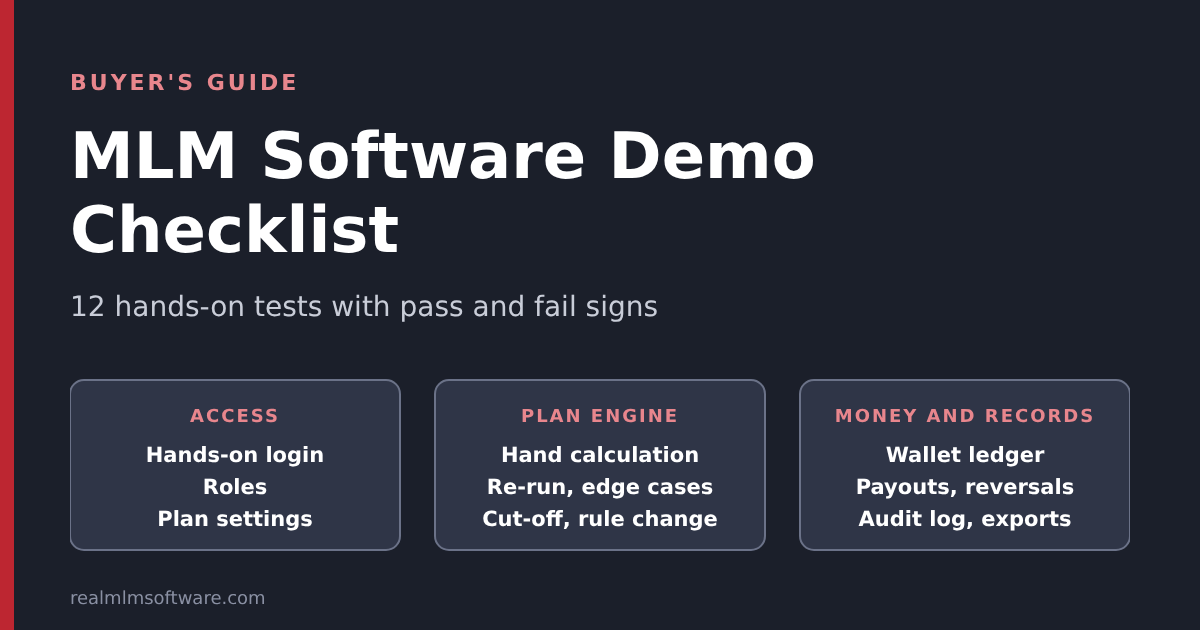
Most buyers open an MLM software demo, click through the dashboard, admire the genealogy tree and close the tab. Some buyers find out only after signing that the commission run pays the wrong amount on their own plan. A demo that you only look at proves very little. A demo that you test proves a lot. This post gives you the tests, the steps and what a pass looks like, so that a 45-minute session tells you more than a week of brochures. If you are still shortlisting vendors, start with our buyer’s checklist and come back here when you have demos to run.
Quick answer: To test an MLM software demo, run it like an acceptance test, not a tour. Enter a few members by hand, calculate the commission yourself, and compare it with the system. Then re-run the same period, change a rule, reverse a sale and request a payout. If the vendor can’t show these live, count them as untested.
A note on scope. Everything here tests software that pays commissions on product or service sales. We don’t build deposit-return, ROI, help or investment-return schemes, and the examples are illustrative figures for testing, not claims about what anyone earns.
Why looking at a demo is not the same as testing it
A standard demo is built to show the screens. Screens are the easy part of MLM software. The hard parts are invisible: the commission engine, the wallet ledger, the payout workflow and the audit trail. Those parts decide whether the software is safe to run a business on, and they only show up when you push on them.
Three things make demos misleading. The data is usually small and tidy, so nothing is slow and nothing is ambiguous. The plan is the vendor’s standard version, not yours. And the person driving the demo knows which buttons to avoid. The checklist below removes the third problem by letting you drive, and it makes the first two visible by naming what a standard demo cannot prove.
Before the session: prepare a test sheet
Prepare this before you open any demo. It takes about 30 minutes and makes every vendor comparable.
- Write your plan rules on one page. Plan type, rates, caps, qualifications, cut-off day and time. Our post on compensation plans compared helps you name the plan, and the MLM plan pages describe each type.
- Build a small test tree of 6 to 8 members with known sponsors and placements, and a list of purchases (member, product, volume, date).
- Calculate the expected commissions by hand for two cycles and keep the numbers hidden from the vendor until you have the system’s answer.
- Use made-up data only. Never give a vendor real member names, phone numbers, bank or wallet details for a demo.
- List your must-have integrations, such as payment gateway, SMS, email and KYC, so you can ask for them to be shown or explained.
A worked test you can copy
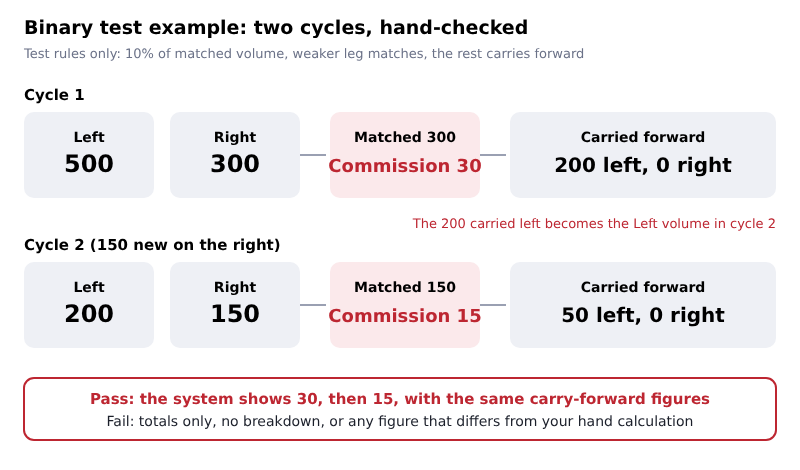
Here is a small binary example you can reuse to see whether the engine matches hand calculation. The rules are test rules we made up for this post: commission is 10% of matched volume, the weaker leg is the matched amount, and unmatched volume carries forward. Your own plan will differ, so replace the numbers with yours.
| Cycle | Left volume | Right volume | Matched volume | Commission at 10% | Carried forward |
|---|---|---|---|---|---|
| 1 | 500 | 300 | 300 | 30 | 200 left |
| 2 (adds 150 on the right) | 200 (carried) | 150 (150 new) | 150 | 15 | 50 left |
Now add a cap. Suppose the rule says no member is paid more than 25 in a cycle. Cycle 1 produces a commission of 30, so 25 is paid and 5 is above the cap. What happens to that 5 is a business rule: it can be lost (flushed), carried to the next cycle or held. Neither choice is wrong, but the software must do what your rules say and must show it. Our post on carry forward and flush-out explains the options.
The 12 tests
The tests fall into three groups. Run them in order, because the later ones depend on the data you create in the earlier ones.
Group 1: Access and control
| # | Test | What to do | A pass looks like | A red flag |
|---|---|---|---|---|
| 1 | Hands-on access | Ask to log in yourself, to both the admin panel and a member panel | You can click, create and edit without the vendor driving | Only a recorded video or a vendor-controlled screen share |
| 2 | Roles and permissions | Create a staff account with limited rights, then log in as that user | The limited user cannot see payouts, settings or other admins’ actions | One admin login for everyone, or permissions that exist on screen but are not enforced |
| 3 | Plan configuration | Ask to see where the rates, caps and qualifications are changed | A settings screen with clear fields, not “we will change the code” | Every rule needs a developer for each change |
Group 2: The plan engine
| # | Test | What to do | A pass looks like | A red flag |
|---|---|---|---|---|
| 4 | Hand-calculation match | Enter your test tree and purchases, run the commission, compare with your numbers | Every figure matches, and the screen shows how it was worked out | Totals only, no breakdown, or numbers that are “close” |
| 5 | Re-run safety | Run the same period a second time | No double payment. The second run gives the same result or is blocked | Commissions are credited twice, or the system cannot say which run paid what |
| 6 | Edge cases | Test a cap, a flush-out or carry-forward, a compression case and a late-qualifying member, as your plan requires | Each case follows your written rule and is visible in the report | The vendor says edge cases “are handled” but cannot show one |
| 7 | Cut-off and rounding | Place a purchase just before and just after the cut-off time, then check amounts that need rounding | The cut-off follows your stated time zone and rounding is consistent | Time zone unknown, or totals that differ by small unexplained amounts |
| 8 | Rule change | Change a rate for the next period and re-check an old period | The new rate applies only going forward, and old results do not change | Changing a rate silently alters past commissions |
Group 3: Money and records
| # | Test | What to do | A pass looks like | A red flag |
|---|---|---|---|---|
| 9 | Wallet ledger | Open a member wallet and trace one credit back to its source | Every entry has a source, a date and a running balance that adds up | A balance with no history, or entries that can be edited without a record |
| 10 | Payout workflow | Request a payout, approve it, then fail one on purpose | Clear statuses (requested, approved, paid, failed) and a failed payout returns to a visible state | No approval step, no failure path, or money that disappears when a payout fails |
| 11 | Refunds and reversals | Cancel or return a purchase that already generated commission | The related commission is reversed and the reversal is shown | Commission stays paid on a sale that no longer exists |
| 12 | Audit trail, exports and security basics | Make a change as admin, then look for it in a log. Export a report. Test password reset and session timeout | The log shows who changed what and when. The export opens in a spreadsheet. Password reset and timeout work | No log, no export, or a login that stays open indefinitely |
Tests 9 to 11 are where money moves, so give them the most time. Our security checklist covers the wider controls behind test 12, and the payments, KYC and payouts in India explains what a member should see in a payout flow when the payment itself fails.
What a standard demo cannot prove
Even a good demo has limits, and the limits are the same whichever vendor you ask. Knowing which stage proves what stops you from treating a pleasant tour as a verdict.
| Stage | What it can prove | What it cannot prove |
|---|---|---|
| Standard demo | Screens, navigation, plan structure, how admin and member views differ | Your rules, your data, speed at scale, integrations |
| Walkthrough on your plan | Whether your rates, caps and qualifications can be set up and calculated correctly | Performance with a large network, and moving your existing data |
| Pilot on your test data | Plan math, imports, payout flow and reports on realistic volumes | Long-term support and how the vendor handles change requests |
A genealogy tree that opens quickly with 40 members says nothing about one with 40,000. If scale matters to you, ask for a test at your expected size, and read our post on genealogy trees for what the tree has to handle. If you are moving from another system, check the migration checklist before you commit.
How to score what you saw
When you compare two or three vendors, score each test the same way. A simple scale avoids arguing over impressions later.
| Score | Meaning |
|---|---|
| 2 | You saw it work, live, on your data or your test tree |
| 1 | The vendor says it works but could not show it today |
| 0 | It does not exist, or the answer was vague |
With 12 tests, the maximum is 24. Our rule of thumb is to treat a 0 on test 4, 5 or 9 as a serious problem however high the total is, because those three decide whether the money is right. Totals matter less than where the zeros fall.
Questions to ask during the same session
- Who owns the member and transaction data, and in what format can we export all of it?
- Which rules are settings and which need custom code? What does a change cost and how long does it take?
- Is there a test environment, and how do updates reach the live system?
- What is in the support terms: hours, response time, and what counts as a defect versus a change request?
- Which integrations are included, and which need extra work?
- What happens to our data and our software if we leave?
The answers belong in writing before you sign. Our post on hiring an MLM software company covers how to run that conversation and what to expect in a proposal.
How we approach this
Our live MLM software demo page lets you open the admin and user panels for each plan yourself, with the login already filled in, and no sales call is needed. These are standard demos with standard features, so use them for tests 1 and 2 and to see how a plan is structured. For the tests that depend on your own rules, such as 3 to 8 and 11, contact our team and we will walk through your plan with you. If you need something that no standard plan covers, see our custom MLM software service. Whichever vendor you choose, run the same 12 tests.
Keep reading
- buyer’s checklist — the full vendor checklist for shortlisting.
- carry forward and flush-out — the worked example behind test 6.
- compression and breakaway examples — more calculation examples to test against.
You can also browse the MLM plan pages or see the feature list.
Frequently Asked Questions
Is a free MLM software demo enough to choose software?
It is enough to rule vendors out, not to rule one in. A standard demo shows screens and plan structure. To choose, you also need a walkthrough on your own plan and, ideally, a pilot on your test data, so you can compare the system’s commissions with your hand calculations.
How long should an MLM software demo take?
Plan on about 45 minutes for the hands-on tests above if you prepare your test sheet first. A tour without preparation can be done in 15 minutes, but it will not tell you whether the commission engine matches your plan.
What is the difference between a demo, a trial and a pilot?
A demo is a standard system you explore. A trial is time-limited access to a system, sometimes with your own settings. A pilot runs your plan and test data through the system to check results. Vendors use these words loosely, so ask exactly what you will get and what data it uses.
Should I give real member data to a demo?
No. Use made-up names and values for every demo and pilot until you have a signed agreement that covers data protection. Real contact, bank or wallet details have no place in an evaluation.
Which test matters most?
The hand-calculation match (test 4), because every other feature depends on the commission being right. After that, the re-run test (5) and the wallet ledger (9), which show whether the system pays once and keeps a clear record.